Cap voltage barely sags
Peak current high and instantaneous
Plasma forms but does not fully expand
MOSFET stays in switching-dominant regime (low heat)
Electrodes see minimal thermal load per pulse
Behavior
Sharp “impact” character
Distinct, snappy, discrete hits
No lingering arc
Sound profile: crisp crack, no sustain
Use when
You want maximum control over thermal load
You want clearly separated pulses
You want strong per-event effects without continuous heating
This is the high-peak-power, low-average-power mode.
Electrical reality
Cap voltage drops substantially within the pulse
Arc becomes fully established
Plasma column expands
MOSFET is in conduction regime (major heating)
Electrodes accumulate thermal load rapidly
Behavior
Looks and sounds like a short “burst” or mini-arc
More luminous, more sustained plasma
Per-pulse energy feels heavier and more massive
Not as “snappy,” more “burn-like”
Use when
You want visibly sustained events
Peak power is less important than overall arc duration
You accept higher thermal load per pulse
This is the lower-peak-power, higher-average-power mode.
Each pulse is isolated
System resets thermally
You only care about single-pulse behavior
Mechanical/audible events are totally distinct
Use for: single shots, demonstrations, high-energy hits without cumulative heating.
Feels rhythmic: “ticks,” “strobe”
Average heating becomes relevant
Component temperature ramps over time
Pulses remain distinguishable
Use for: stable repetitive operation where events need to be counted or perceived individually.
Individual pulses blur together
Acoustic signature becomes buzzing or continuous
Average power dominates everything
Thermal limits become the governing constraint
Discharge may transition into quasi-continuous arc behavior if pulse width is long enough
Use for: continuous-effect systems, but requires tight thermal management.
Think of operation as a coordinate:
X-axis = pulse width (short → long)
Y-axis = repetition rate (low → high)
Each region behaves like:
Max peak impact
Zero cumulative heating
Sharp, isolated events
Buzzing, strobing
Peak power preserved
Average heating rises sharply
Heavy, dense, slow pulses
Full plasma events with time to cool
High per-pulse thermal load but safe average
Nearly continuous discharge
Arc-like behavior
Thermal limits dominate
Highest component/electrode stress
This grid is the actual map you’re working inside.
Define three things:
Character of a single pulse
Sharp hit vs sustained burst
How the sequence should feel over time
Isolated vs strobing vs continuous
How much thermal budget you’re willing to spend
Low vs moderate vs high average load
Once those factors are chosen, the pulse width and repetition rate fall out automatically.
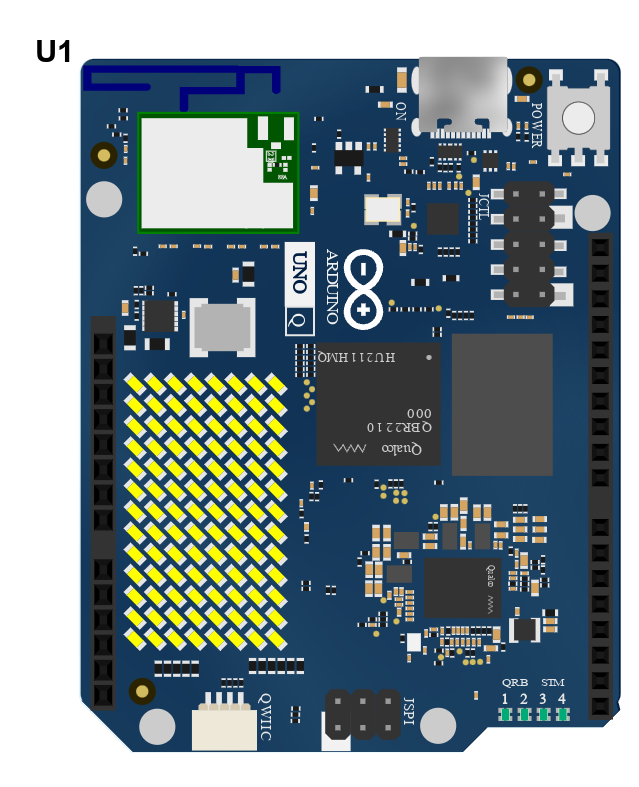
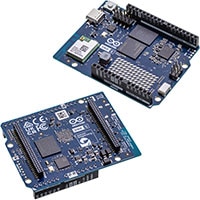 The Arduino UNO Q is a high-performance, hybrid, single-board computer and microcontroller development board that redefines performance and versatility. Featuring cutting-edge USB Type-C® connectivity and built on the renowned UNO form factor, the UNO Q is designed to elevate projects. Equipped with a Linux Debian-capable MPU and a real-time microcontroller, this board is perfect for advanced applications in AI, computer vision, IoT, robotics, and industrial sectors.
The Arduino UNO Q seamlessly integrates with the Arduino App Lab development environment, empowering users to create groundbreaking applications across microcontrollers, embedded Linux, and edge AI. With its user-friendly examples and expandable capabilities through modular bricks, this powerful tool simplifies deployment with built-in orchestration. It helps users quickly and efficiently turn innovative ideas into reality.
请在下方框中输入 'DELETE'(无引号),以确认进行删除操作。